
HOME › Best AC Temperature For Sleeping
Your bedroom temperature directly affects how quickly you fall asleep and how deeply you stay asleep. When a room runs too warm, your body struggles to release heat and you end up tossing and turning. During a Texas summer, when overnight lows can stay in the high 70s, finding the best AC temperature for sleeping is one of the simplest ways to protect your rest without sending your energy bill through the roof.
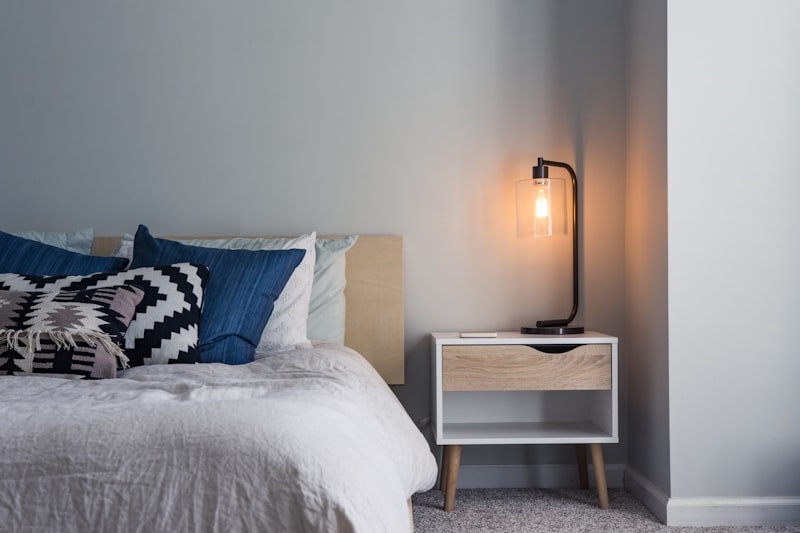
Most sleep experts recommend a bedroom temperature between 65°F and 68°F for healthy adult sleep. This range supports the natural drop in body temperature that signals your brain it’s time to rest. Comfort is personal, so use 65°F-68°F as your starting point, then adjust a degree or two until you wake up feeling rested rather than sweaty or chilled.
Your core body temperature isn’t constant. In the evening it begins to fall, and that decline is part of how your body prepares for sleep. A cooler bedroom encourages this process, giving your body an easy environment to shed heat through your skin so you drift off faster and move smoothly through the deep and REM sleep stages that leave you refreshed.
Excess heat works against all of this. A warm, stuffy room forces your body to work harder to cool itself, which fragments your sleep cycles and causes more frequent waking. That’s why hot Texas nights so often lead to restless mornings, even after plenty of hours in bed.
In the Dallas-Fort Worth area, the cooling season stretches from late spring well into October and nighttime humidity stays high, so your air conditioner does more overnight work than it would in a cooler, drier climate. A nighttime setting of 68°F offers most Texas homes a good balance of comfort and efficiency.
Humidity matters just as much as the number on the thermostat. When indoor humidity climbs above 55 percent, 68°F can feel warmer and stickier than it should. A properly functioning AC removes moisture as it cools, so a system that keeps humidity in the 40 to 50 percent range makes a warmer setting feel comfortable.
Older or larger homes with uneven insulation may need a slightly lower setting to feel cool in the bedroom. If you have to push the thermostat into the low 60s just to sleep, that’s often a sign your system or ductwork needs attention rather than a colder setting.
No single number works for everyone under the same roof. Use the table below as a practical guide, then fine-tune for your household.
| SLEEPER | SUGGESTED NIGHTTIME RANGE | NOTES |
|---|---|---|
| Adults | 65°F-68°F | Standard comfort range for restful sleep. |
| Children | 66°F-70°F | Slightly warmer; check that they aren't kicking off covers. |
| Infants | 68°F-72°F | Dress in light layers; avoid overheating and loose bedding. |
| Older adults | 68°F-72°F | Often prefer a bit warmer for circulation and comfort. |
| Hot sleepers | 63°F-66°F | Pair with a fan and breathable bedding. |
| Cold sleepers | 68°F-70°F | Use lightweight blankets rather than raising the whole house. |
Every degree lower on the thermostat increases how long your AC runs, and cooling is one of the largest parts of a Texas summer electric bill. The goal is the warmest setting that still lets you sleep well. A smart thermostat makes this easy: schedule the temperature to ease down to your sleeping range about an hour before bed, then rise gently in the morning so you avoid overcooling an empty house during the day.
The comparison below shows the general relationship between nighttime settings and cooling demand during a Texas summer.
| NIGHTTIME SETTING | RELATIVE COOLING DEMAND | TYPICAL RESULT |
|---|---|---|
| 72°F | Lowest | Lower bills, may feel warm on humid nights. |
| 70°F | Low | Comfortable for many; good efficiency balance. |
| 68°F | Moderate | Recommended balance of comfort and cost. |
| 65°F | High | Very comfortable; noticeably higher runtime. |
| 62°F | Highest | Best for hot sleepers; largest energy use. |
A few habits stretch every degree further: raise the setting a couple of degrees when you leave for the day, keep vents clear, and replace filters on schedule so your system cools without strain.
Small changes around the bedroom let you keep the thermostat a touch higher while still sleeping comfortably. Use this checklist:
Sometimes the reason you can’t get comfortable has less to do with the number you set and more to do with how the system runs.
If your bedroom stays warm no matter how low you set the thermostat, or your system runs constantly without reaching your target, it’s time to have it inspected. Rising humidity, uneven room temperatures, weak airflow, and unusual noises are all signals worth acting on before the peak of summer.
Routine care makes a real difference. Scheduling AC maintenance in Richardson keeps your system cooling efficiently and holding a steady overnight temperature, while prompt AC repair in Richardson restores comfort when a system struggles to keep up. A faulty control often causes erratic overnight temperatures, and thermostat repair in Richardson resolves settings that never match the room. For older units that can no longer manage the load, professional AC installation in Richardson delivers efficient cooling for years of restful summer nights.
For most Texas homes, a nighttime setting between 65°F and 68°F offers the best balance of comfort and energy efficiency. Because Dallas-Fort Worth summers bring high humidity along with heat, a well-functioning air conditioner that keeps indoor moisture around 40 to 50 percent will make 68°F feel comfortable. If you consistently need a setting lower than 65°F to feel cool, your system may need service to run efficiently.
A cooler room generally supports better sleep. Your core body temperature naturally drops in the evening as part of preparing for rest, and a bedroom in the mid-60s helps that process along. A room that is too warm forces your body to work harder to shed heat, which fragments sleep cycles and causes waking. A room that feels too cold can be just as disruptive, so aim for a comfortable range rather than the coldest possible setting.
Lowering the thermostat increases how long your air conditioner runs, so setting it very low actually raises cooling costs rather than saving money. A smarter approach is to schedule your comfortable sleeping temperature only for the hours you’re in bed, then let the setting rise during the day. A programmable or smart thermostat handles this automatically and controls summer energy use without sacrificing comfort.
A bedroom that stays warm while the AC runs usually points to airflow or system problems rather than the thermostat setting. Common causes include a dirty air filter, blocked or leaky ducts, low refrigerant, or an aging system that can no longer keep pace with Texas heat. High indoor humidity can also make a cooled room feel warmer than it is. A professional inspection can identify the exact cause and restore even, consistent cooling.
A nursery is generally comfortable between 68°F and 72°F. Infants regulate their body temperature less effectively than adults, so avoid both overheating and excessive cold. Dress your baby in light, breathable layers, keep loose bedding out of the crib, and use a room thermometer to confirm the temperature stays steady overnight rather than swinging with the outdoor heat.
The right thermostat setting only works when your air conditioner can deliver on it. If your system struggles to hold a comfortable overnight temperature, control humidity, or cool your bedrooms evenly, CityLine Air Conditioning can help. From tune-ups and repairs to full system evaluations across Richardson and the Dallas-Fort Worth area, CityLine Air Conditioning keeps your home cool so you can find the best AC temperature for sleeping and rest easy all summer. Contact CityLine Air Conditioning today to schedule your service.
Or call us directly: 972-514-6606